
Lumen

Storage intelligencefor every device.

What to keep and what to clear: AI helps you work it out.

Checking releases…macOS 13+ · Windows 10 22H2+ · Linux x86_64

All downloads and installation
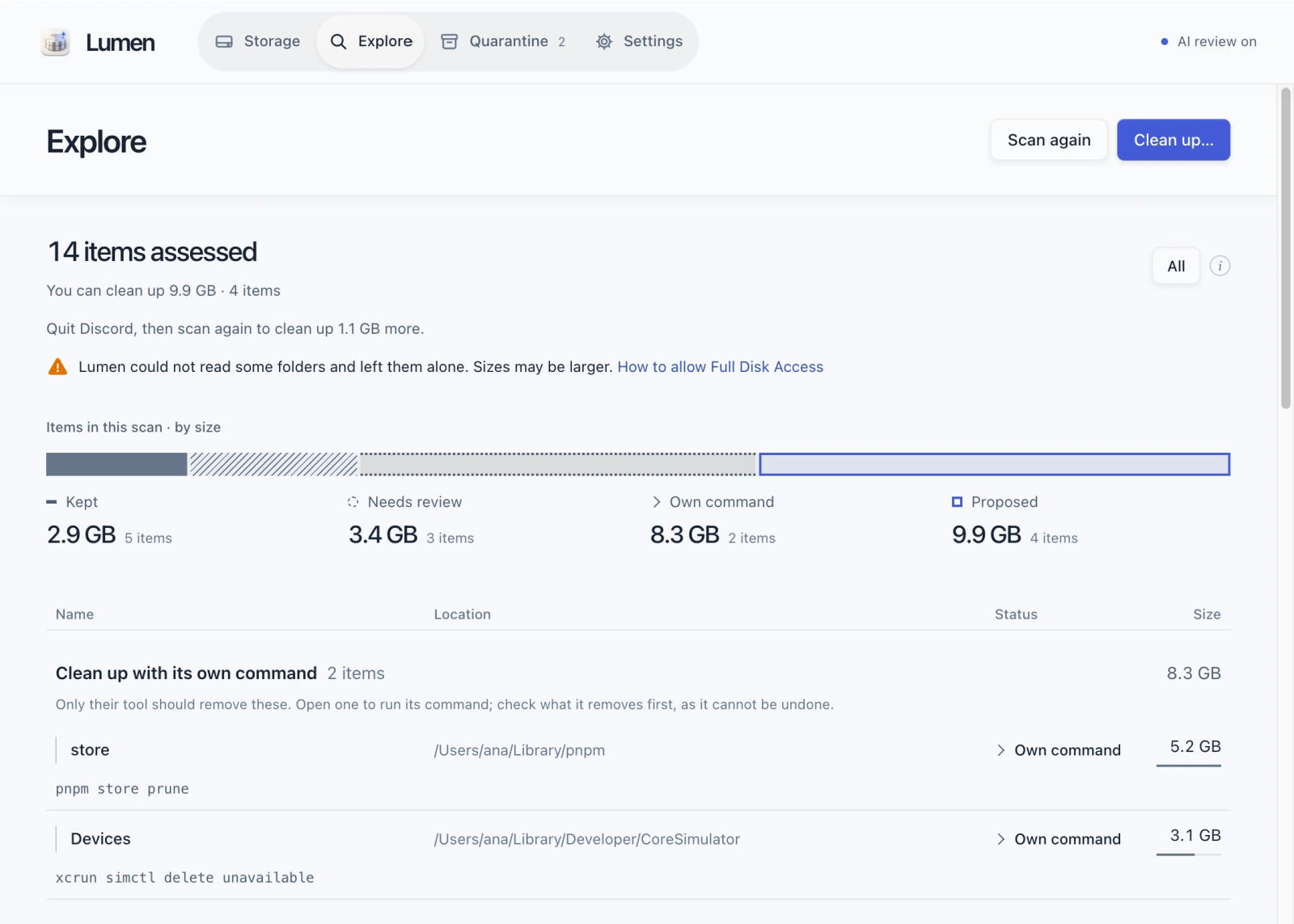
Lumen's Explore page with sample data: storage composition by decision, 9.9 GB proposed across developer tools and app caches, and commands for items their own tool should clean.

What Lumen does

Finds what takes up space
From Xcode's build data and Gradle caches to app caches and old installers. Scanning never opens a file.
Explains every decision
Who made an item, whether it can be rebuilt, whether anything still uses it: the evidence decides between keep, review and clean up.
AI takes a second look
When AI review is on, item paths, sizes and ages are sent to the school's Jeb server, whose operator may retain them (file contents are not sent). It rechecks items proposed for cleanup and adds a note about what items needing review might be.
Cleans up after you confirm
Files go to Quarantine so you can restore them. For the pnpm store or Xcode simulators, review and run the tool's own cleanup command. Tool commands remove data directly and cannot be undone.

Your files come first.Free space comes next.

Nothing is removed automatically. Restore quarantined files until you remove them for good.

Look at the evidence.Leave out the guesswork.

What a file is. What still uses it. When the answer is uncertain, it stays put.

Read the architecture

All downloads and installation

Files come from the GitHub releases.Checking releases…

  • macOS

    macOS 13 or later · Apple silicon and Intel

  • Windows

    Windows 10 22H2 or later, Windows 11 · 64-bit · no admin rights needed

  • Linux

    x86_64 · Ubuntu 24.04 or later, or similar

Opening Lumen the first time

Lumen isn't code-signed yet, so macOS and Windows block its first launch. Allow it once and it opens normally after that.

macOS
  1. Open the .dmg and drag Lumen into Applications.
  2. Open Lumen. When macOS says it cannot be opened, click Done.
  3. In System Settings › Privacy & Security, scroll to Security, click “Open Anyway” and confirm with your password or Touch ID.
  4. Open Lumen again and click Open Anyway. After that it opens normally.

On macOS 13 and 14, Control-click › Open also works. From macOS 15, use the steps above.

macOS Full Disk Access

With it, Lumen can also scan protected folders such as Mail, Messages and other apps' data. Without it, they stay unreadable and Lumen leaves everything in them alone.

  1. Open System Settings › Privacy & Security › Full Disk Access, or use the button in Lumen's Settings.
  2. Turn Lumen on. If it is not listed, add it from Applications with +.
  3. Quit and reopen Lumen, then scan again.

Without a signature, macOS may see an updated Lumen as a different app. If folders are unreadable after an update, remove Lumen from the list with − and add it again.

Windows
  1. If your browser warns about the download, choose Keep in the download's menu.
  2. Run the installer. In Windows protected your PC, click More info, then Run anyway.
  3. Open Lumen from the Start menu as a regular user. Run as administrator, Lumen won't move files.
Linux

.deb

sudo apt install ./Lumen_<version>_amd64.deb

AppImage

chmod +x Lumen_<version>_amd64.AppImage
./Lumen_<version>_amd64.AppImage

If the AppImage doesn't start, it may need FUSE 2 (Ubuntu 24.04: sudo apt install libfuse2t64). Run Lumen as a regular user; run as root, it won't move files.

Other files: command line, checksums, SBOMs

The lumen command line comes as lumen-<target>.tar.gz (macOS on Apple silicon, Linux) and .zip (Windows). The .cdx.json files list each build's components (SBOMs).

See every file on GitHub

Verify a download

Put SHA256SUMS next to your download and run this in that folder. Your file should show OK.

macOS

shasum -a 256 -c SHA256SUMS --ignore-missing

Linux

sha256sum -c SHA256SUMS --ignore-missing

Windows (PowerShell) · compare the result with that file's line in SHA256SUMS; case doesn't matter.

Get-FileHash .\Lumen_<version>_x64-setup.exe -Algorithm SHA256

Build provenance · checks that this repository's release workflow built the file. Needs the GitHub CLI.

gh attestation verify Lumen_<version>_universal.dmg --repo zaewc/Lumen